


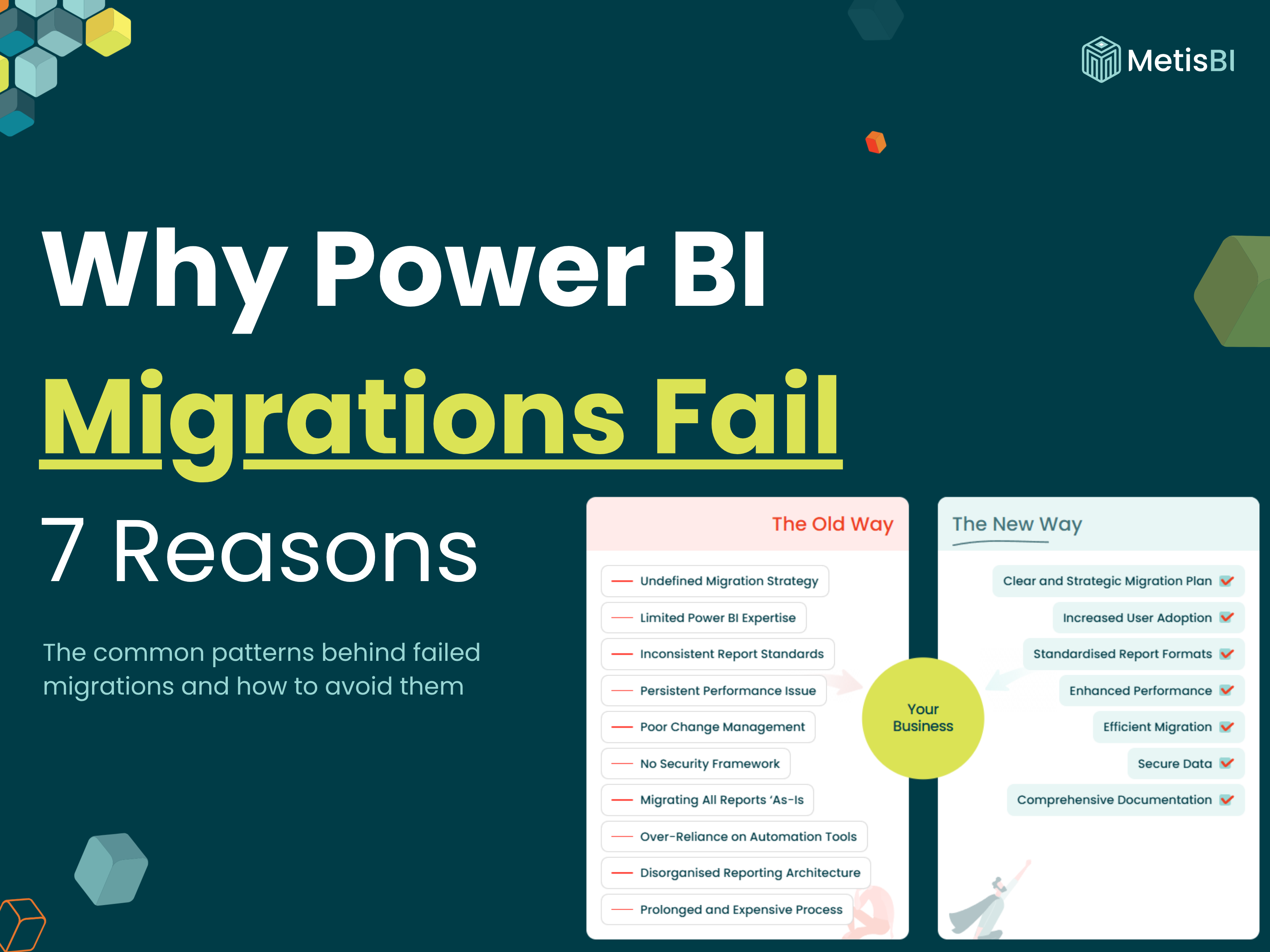


Most Power BI migrations don't fail because Power BI is the wrong tool. They fail for seven specific reasons that I find to be really common throughout the years of being involve din report migrations. So, this is a list common reasons from my own experience and what I see when I'm called in after a BI migration has gone sideways, but I am sure there are others.
If you're specifically moving SQL Server Reporting Services (SSRS) to Power BI Paginated Reports, I've written the options you have available to assist you with the migration and tooling options - this blog is the "why things go wrong" companion to that "how do I move the forward".
I've been involved in Power BI migration projects for years, going back to leading the Power BI practice at Adatis/Telefonica Tech Data & AI. The thing I keep coming back to is that Power BI migrations rarely fail because of Power BI itself. They fail because organisations treat the move to a new platform as a pure technical delivery, a real raw lift and shift, when it's actually an opportunity to cleanse the business intelligence reporting architecture at the same time.
When I get called in six months after a go-live, reports are slow, users have quietly gone back to Excel and the finance director wants to know why the "modernisation" cost £130K and produced dashboards and reports nobody trusts or uses. It's usually a set of common patterns and most of them are decided before a single report gets built.
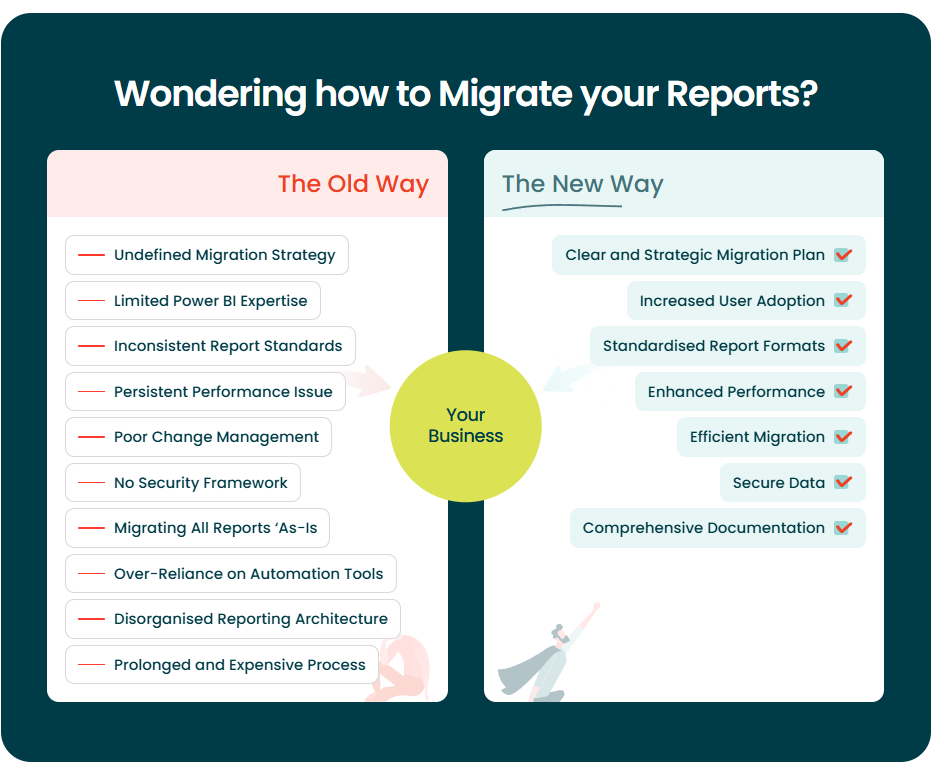
Reason 1: Lift-and-Shift From the Legacy System
What it looks like: The team migrates a Tableau or BusinessObjects estate into Power BI by rebuilding the reports one-for-one. Same layout, same filters, same visuals and even the same format for the underlying semantic model. When first discussing this, management are happy because "nothing changed for the users", after all its a lift and shift, all remains the same, right?! Six weeks later, refreshes are timing out, it's proving difficult to make simple changes and the DAX is a complete mess.
Why it fails: Here's the thing, Power BI is not Tableau, Qlik is not Power BI, point is all these tools are different. Yes, there are various skills and knowledge that are transferable, yes a lot have the same features just branded differently but they are different. The issue is when people (and unfortunately, many data consultancies) think of lift and shift they just rebuild not only the report like for like but also ingest the data as it was in the source tool, into the Power BI semantic model. This is bad! You are asking for trouble, I've seen this too many times. Yes, when having these discussions some have pushed back on me saying a lift and shift is a lift and shift. Sure, but we are not here to just pick up old reports and throw them into a new tech, we are here to deliver a successful project whereby the end users, the business adopt the new reports with the least downtime and friction. To give an example, Power BI loves star schemas as data models (if you are wondering what this is check out our blog here), whilst traditionally something like Tableau may have preferred flat file structures. So, taking the source data and the current structure and hoping it works in the target tool is not a good strategy.
The fix: Treat the report migration as a modelling project too, not just a rebuild project. Before you migrate a single report, take the legacy report you've decided to bring across and do the groundwork. Understand what measures, columns and data sources each one is actually using. When you lay it all out on the table, you'll almost certainly find the same data being ingested over and over again across different reports. Report A pulls sales from the ERP. Report B pulls the same sales data, but joined slightly differently. Report C pulls it again with its own twist. Three reports, three pipelines, three versions of "revenue" that don't always agree with each other. Sound familiar? This is where the real opportunity lies. Instead of faithfully rebuilding those same fragmented data flows into Power BI, use the migration as your chance to consolidate. Build out a single well-designed semantic model, or a small set of consolidated models, that serve multiple reports from the same trusted source. Call it your golden layer, your single version of the truth, your certified dataset - whatever language works for your organisation, the principle is the same. One model, properly designed as a star schema, powering many reports. That's the goal. The payoff is significant. You end up with fewer artefacts to maintain, faster refreshes, consistent numbers across reports (no more "which revenue figure is right?" arguments in meetings), and a foundation that actually scales when the business asks for the next ten reports. The reports themselves get better in the process too, because they're built on a model that was designed deliberately rather than inherited from a legacy system's accumulated quirks.
Reason 2: Migrating Every Report As-Is
What it looks like: This one really comes down to a lack of planning. Before you dive into a large report migration, we at Metis BI would highly recommend putting some time against discovery and proper migration planning. You're about to go on a journey that, honestly, takes time and budget - so why not use it as an opportunity to clean up the reporting estate while you're at it? Say the tool you're migrating away from has 650 reports. The migration team aims to migrate all 650. Not good! In fact, from my personal experience i'd say around 70% of reports have not been accessed in the last 9/12 months.
Why it fails: Scoping is driven by what exists, not by what's used. Nobody wants to be the person who says "this report shouldn't come across", so everything comes across. The project doubles in size and every report is built with the same care as the one no one reads.
The fix: When you move to Power BI, you have an opportunity to cleanse the reporting estate - don't waste it. Run usage and log analytics on the legacy platform before the migration. Most BI tools can automate this kind of usage export, last-viewed dates, unique users, query frequency, which gives you evidence rather than opinion. Then document and classify every report into one of four buckets:
- Decommissioned: Not used or not serving a reporting purpose anymore - remove it.
- Lift & Shift: Has a genuine audience and works well as-is. Rebuild in Power BI identically, minimal changes.
- Re-Engineered: Needed, but what exists isn't good enough. Conduct Requirement gathering, then rebuild.
- Consolidated: two or three reports answering overlapping questions. Merge them into one better report.
This is the Classification phase of the four-phase migration approach we use at Metis BI, on every project. Again, as I said above, I find that around 70% of reports will fall into that decommission classification. Now, it's up to you and your organisation to decide the rules of what is decommissioned, but think anything that has not been used in the last 9 or 12 months. Just a quick tip, if unsure it may be wise to archive some you are not sure about.
For the re-engineered classification, pick the most business-critical or enterprise-wide reports and do them properly. At Metis BI we use our proven data storytelling methodology on these, because it genuinely increases the chances of producing a high-value solution that actually gets adopted. I'd strongly recommend you do something similar. Why? Because a report migration isn't just a technical exercise, it's a change management exercise too. The people on the receiving end of the migration are watching, and the first thing they see coming out the other side sets the tone for everything that follows. If the flagship reports land well... clear, insightful, genuinely better than what they had before, you've built trust in Power BI from day one. If they land flat, you'll spend the next year trying to convince people the new platform was worth the move.
One other point, as we always find these, you will likely have the same report, but simply duplicated 10+ times with the only difference being a filter is applied. This will also drastically decrease the overall number down. So, these are the ones that get classified as consolidated.
Reason 3: Choosing the Wrong Power BI Tool for the Job
What it looks like: The organisation is migrating away from SSRS or BusinessObjects, where most of the estate is operational, tabular-style reports... think invoices, statements, pick lists, multi-page financial summaries, regulatory outputs, email/subscription based, etc. The migration team defaults to rebuilding everything in standard Power BI, meaning the file format .PBIX with development carried out in Power BI Desktop. It feels right at first, after all, it's Power BI, isn't it? A few weeks in, the cracks start to show. Users are unhappy, tables don't paginate properly, exports to PDF look awful, headers and footers won't behave and the finance team can't get the print-ready output they've been producing without issue for the last decade. You will be surprised how common this actually is, and all honesty fault lies on the team who did the planning.
Why it fails: To keep it simple, Power BI has two products/tools that you can download and start developing solutions. You have Power BI Desktop, which is for developing interactive, visual, dashboard-style analytics - great for exploration, slicing, drilling. Then you have Power BI Paginated Report Builder, which is for developing pixel-perfect, print-ready, operational reporting - the stuff SSRS and BO were genuinely brilliant at. One is not better then the other, they are for two completely different purposes. They're fundamentally different tools with different engines, different authoring experiences and different use cases. Teams migrating from SSRS or BO often don't realise paginated reports even exist within Power BI or they assume "Power BI can do it all" and force operational reports into a tool that wasn't designed for them. The result is frustrated users, clunky outputs and workarounds that should never have been needed.
The fix: Before you migrate, classify your reports by type as well as by usage. If a report is analytical, so exploratory, visual, interactive, aimed at decision-makers slicing and dicing data, standard Power BI is the right home. If it's operational, paginated, print-ready, parameter-driven, aimed at producing a specific document like an invoice, a regulatory submission or a 40-page financial pack, then Power BI Paginated Reports is the right answer. In many real-world migrations, especially from SSRS, you'll end up with a mix of both, and that's fine. The mistake is defaulting to one tool for everything. Get this decision right upfront and you save yourself months of rework and a lot of unhappy stakeholders.
Reason 4: User Training & Change Management
What it looks like: The project hits go-live on time. The reports are built, the tenant is set up, the migration team packs up and moves on. A few months later, adoption is disappointing. Users are quietly doing things the old way where they can or worse, opening the new Power BI reports once, getting stuck on something simple, and never coming back. Nobody set out to sabotage the project, people just weren't brought along for the ride.
Why it fails: The success of a migration leans heavily on bringing the people and the business on the journey with you, and this has to start at the planning stage, not once go-live is on the horizon. Remember, you are pulling the plug on a tool and a repeated process that people may have been using for the last three, five, maybe even ten years. Change is scary! You need to make sure you look after the users. Too many migration projects are scoped around the technical delivery and treat the human side as a box-ticking exercise at the end, and this is exactly why they underdeliver on adoption. One other thing worth saying here, if you are considering bringing in a partner to help with the migration, make sure they fully understand this. If they're only talking to you about models, reports and tooling, they're missing half the job.
The fix: Start planning early and execute at the right time. Talk to the most influential end users, the loudest end users, understand their worries and make sure they feel heard. People who feel listened to during a change are far more likely to back it than people who have change done to them. Next, make sure the right level of training has been planned. For large migrations, do not just tell end users there's a great online community out there and leave them to get on with it - that is the wrong move in this scenario. Give them tailored, structured training in how to actually use Power BI. At Metis BI we offer Power BI training split by persona groups and purpose, designed to fit exactly these kinds of scenarios and land well (read the blog here and see our service here). Alongside the formal training, build an internal Power BI portal, somewhere to upload short videos showing how to do the basics and the most common tasks end users were doing in Tableau, Qlik, MicroStrategy or whatever other tool you are migrating away from. Meet them where they are. Effective change management helps mitigate resistance and smooth the transition, and it only works if you plan for it deliberately and early.
Reason 5: Governance (and No Real Power BI Experts)
What it looks like: Above we spoke about Change Management, but I've purposely left Governance as its own reason because it genuinely deserves it. It is one of the areas I find most shocking that it gets ignored or simply not given enough attention, during a Power BI migration. The migration lands, reports are live, users are trained and then six to twelve months later the tenant is a mess. Workspaces everywhere, duplicate semantic models, unclear ownership, no consistent naming, content nobody can find and no one quite sure which report is "the official one". Unwinding this later costs more than doing it properly upfront would have.
Why it fails: This is also tied to another common issue I find with report migrations. Data consultancies are keen to win the opportunity, so they will happily say they are Power BI experts, when in reality they are not, and they don't know what genuinely needs to be considered from a governance perspective. Governance in Power BI is not just about locking things down. It's about designing a platform that scales, that users trust and that IT or the central reporting team can support, all at the same time. That requires experience, a point of view, and a proper framework, not a vague promise to "follow Microsoft best practice" at the end of a statement of work. When governance isn't built into the migration from day one, you end up retrofitting it under pressure, which is painful, expensive and rarely done well.
The fix: Throughout the years of running and being involved in some capacity in Power BI report migrations, every successful one has been accompanied by what we at Metis BI call our Governance and Adoption Assessment. We at Metis also have written so many blogs on governance, so check out our blogs. It sets an organisation up correctly, with the right foundations in place before the migration scales. This foundation is exactly what you should be thinking about when planning a migration. The things to consider, to name a few, are:
- Power BI Framework strategy: Workspaces, apps, audiences, security groups and naming conventions, structured properly and designed to enable safe sharing across the business.
- Tenant settings: Configured correctly from the start, aligned to your policies and not simply left on Microsoft's out-of-the-box defaults.
- Deployment process and version control: Dev, test and production environments separated cleanly, with proper deployment pipelines and source control in place.
- Enterprise vs self-service reporting: Clear separation between governed, certified content and ad-hoc exploration, so the two don't blur into each other over time.
- Security and compliance: Row-level security, sensitivity labels and data classification all designed deliberately and aligned to your existing IT and InfoSec policies.
- Usage monitoring and lifecycle management: Tracking what's used, what isn't, and how unused or outdated content gets retired before it becomes clutter.
- Data model foundation: A well-built, well-governed semantic model underpinning the whole estate, as covered in Reason 1 earlier in this blog.
That list is not exhaustive, but if you nail those, you've covered some of what matters. The other one to flag specifically is licensing. It's a core thing you must get right, and honestly, it should be dealt with even earlier than this, usually as part of the tool selection process itself because cost is nearly always one of the top factors in choosing a BI platform. Pro vs PPU vs Premium Per Capacity vs Fabric F-SKU, viewer vs author, feature dependencies - get any of these wrong and you're either blocked on features mid-project or burning budget on capacity you don't need. If you want a proper deep dive on licensing, we've written a full blog on it here: Navigating Power BI & Fabric Licensing.
One closing point. If the partner you've brought in to help with the migration is not actively driving the governance conversation with you, stop and ask why. Because either they haven't thought about it, or they have and they're hoping you won't ask. Neither is a good sign.
Reason 6: Believing the "End-to-End Automation" Promise
What it looks like: A vendor or consultancy pitches you a tool that will migrate your entire estate... semantic models, reports, everything, from Tableau, QlikView, BO or wherever, straight into Power BI. Push a button, go for lunch, come back to a working Power BI tenant. It sounds brilliant, especially when budgets are tight and timelines are tighter. The reality? Either the migration quietly falls apart a few months in, or the output needs so much rework that you end up paying twice - once for the tool and again for the team rebuilding everything it produced.
Why it fails: Over the years I have come across this many times, and I have also spoken to Microsoft about it directly on more than one occasion. The answer is always the same. Many of these end-to-end tools are not supported by Microsoft. They often work by going directly into the underlying files and making changes that make the reports look okay on the surface (maybe?!), but then the next Power BI or Fabric update lands and suddenly those same reports break, crash or may behave unpredictably. The tool worked yesterday, doesn't work today and the vendor is scrambling to catch up. The point I'm making is simple... if you hear a pitch for a tool that claims to handle full end-to-end migration of both semantic models and reports, be very sceptical. It's rarely as clean as the sales deck suggests, and when it fails, the cost of unwinding it usually lands on you.
The fix: Now, I'm not saying there aren't tools out there that genuinely help with parts of the process, because there are, and they're valuable. During the planning and discovery phase, for example, I'd absolutely use tooling to identify all the reports in a legacy estate, document them, extract lineage, pull out dependencies and usage patterns. That's exactly the kind of repetitive, mechanical work that automation is built for. The mistake is assuming the same tooling can also make the design and modelling decisions for you, because it can't... Maybe AI can do it all now?! Another good example is Microsoft's own RDL Migration Tool, which is designed specifically to help migrate .rdl reports from SSRS servers across to Power BI Paginated Reports. It's a targeted, supported tool that does one job well, which is exactly how migration tooling should work. When a vendor pitches you something broader than that, ask the right questions. Is it supported by Microsoft? What happens when a Power BI update lands? Who owns the output if it breaks six months from now? Does it build the solution life for like? Have they done this at your scale before? If the answers feel vague or defensive, that tells you everything you need to know.
Reason 7: Doing It Alone (or With the Wrong Partner)
What it looks like: The organisation decides to run the migration in-house with a team that has never done one before or they hire a consultancy who sounded brilliant in the pitch but doesn't actually have the depth across modelling, governance, change management and tooling that a real migration needs. The project kicks off with energy, the early milestones get hit and everyone feels good. Six months in, the cracks start showing. The model isn't right, adoption is slipping, governance is an afterthought, and nobody owns the problem. By the time the organisation realises the partner they picked doesn't have the experience they claimed, the budget is half gone and the migration is halfway through. That's usually a scenario I have personally got involved in.
Why it fails: Because a Power BI migration touches every single one of the reasons I've just walked you through in this blog. It needs someone who can model data properly, someone who knows when to use paginated reports versus standard Power BI, someone who knows what do consider and look out for early on on the report migration planning, someone who understands change management, not just development. Someone who has opinions on governance and licensing, and the scars to back those opinions up. Someone who is honest about what migration tooling can and can't do. Most internal teams have never done this before. Most consultancies are genuinely strong on one or two of those areas and weak on the rest, and the weak areas are where migrations quietly fall apart. The hard part is that the weaknesses don't show up in a sales pitch. They show up six months later, when the damage is already done.
The fix: If any of the reasons in this blog have landed with you, whether you're in the early planning stages or already mid-migration and feeling like things aren't quite right, let's have a conversation. At Metis BI, this is genuinely what we do. I have personally led Power BI practices at enterprise scale, delivered migrations across Tableau, QlikView, SSRS and more, and I come in with a point of view on every one of the seven reasons above. Our approach is governance-first, business-value-led and honest about scope. We'd rather tell you the truth at the start of a project than apologise for it at the end. If you're about to start a migration, reach out before you finalise scope. If you're already in one and something feels off, reach out before it gets worse. Either way, we'll give you straight advice, whether you end up working with us or not.
What Separates Successful Migrations From the Rest
Every one of the seven reasons above is won or lost in the planning phase. The semantic model, the scope, the tool choice, change management, governance, your stance on automation and the partner you pick - none of these are Power BI problems. They're project problems that Power BI happens to expose more sharply than the tool you're migrating from.
Successful migrations aren't the ones with the best tooling or the biggest team. They're the ones where somebody tackled the migration challenges deliberately, built a proper workflow around planning, design, validation and delivery, and wrote it down. Get those decisions right and the Power BI build is the easy part.
Power BI is a genuinely excellent tool, arguably the best on the market. But it doesn't rescue bad planning, and unlike some legacy platforms, it doesn't quietly hide the damage either. A successful Power BI migration is a planning exercise dressed up as a technical one. Get the thinking right first, and everything else follows.


.png)
.png)
