




Picture a monthly revenue chart with 4 years of history. Too many months to fit, so Power BI adds a scrollbar. Where does that scrollbar start? In my tests, on the left, on the oldest month. So the first thing a viewer sees is data from years ago... and the month they actually care about is hidden off to the right.
Microsoft's own column chart limitations page still says the scrollbar starts on the left and there is no setting to control the default scrolling position. Well, there is one now.
Definition: Initial scroll position is a setting on the X-axis that lets a chart open at the end of the axis instead of the start.
It became generally available in the September 2026 update, so there's no preview switch to turn on first.
Key takeaways:
- Where it lives: Format visual, X-axis, Layout, Initial scroll position, set to Start or End. Microsoft's axis formatting page says it sits under Y-axis on bar charts.
- What it does: in my tests, with End selected the chart opened on the latest months, and the older ones were still there to the left of the scrollbar.
- When it matters: according to Microsoft, when a categorical axis has more categories than fit, which is when the scrollbar appears.
- What it is not: a filter. In my tests nothing was hidden, the history was still one scroll away.
Where to find it, and what Start and End do
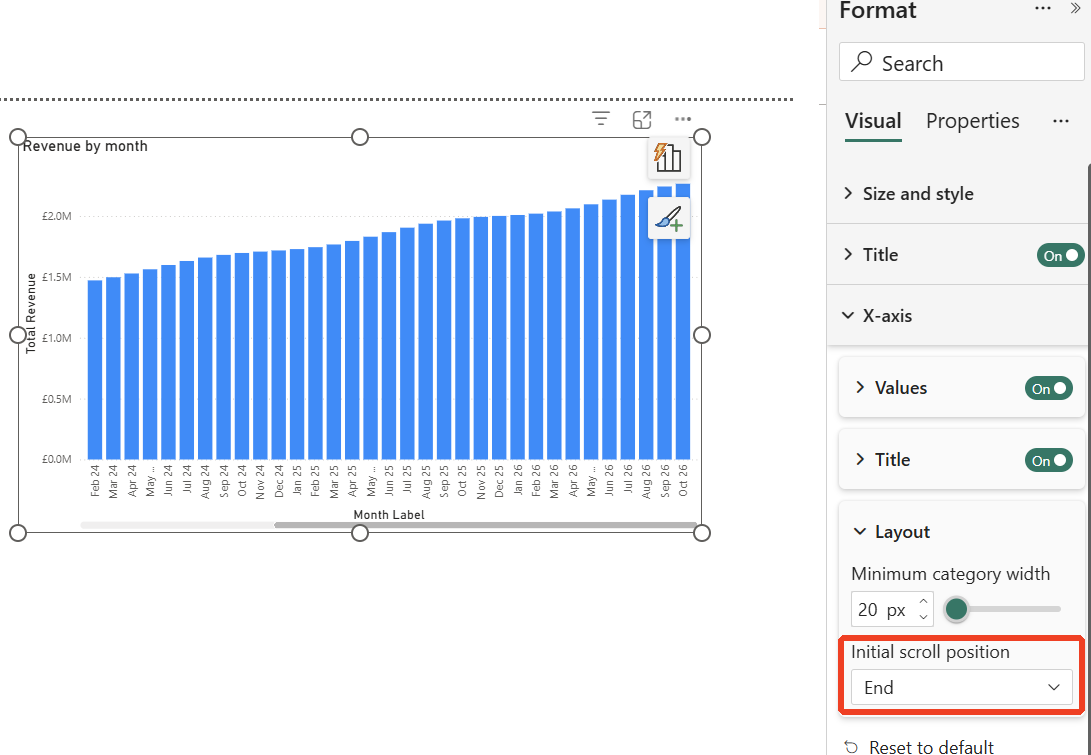
Select the visual, open the Format pane, expand X-axis and then Layout. In my test, Initial scroll position sat directly under Minimum category width, with 2 options, Start (the default) and End (you can see both in the second screenshot below).
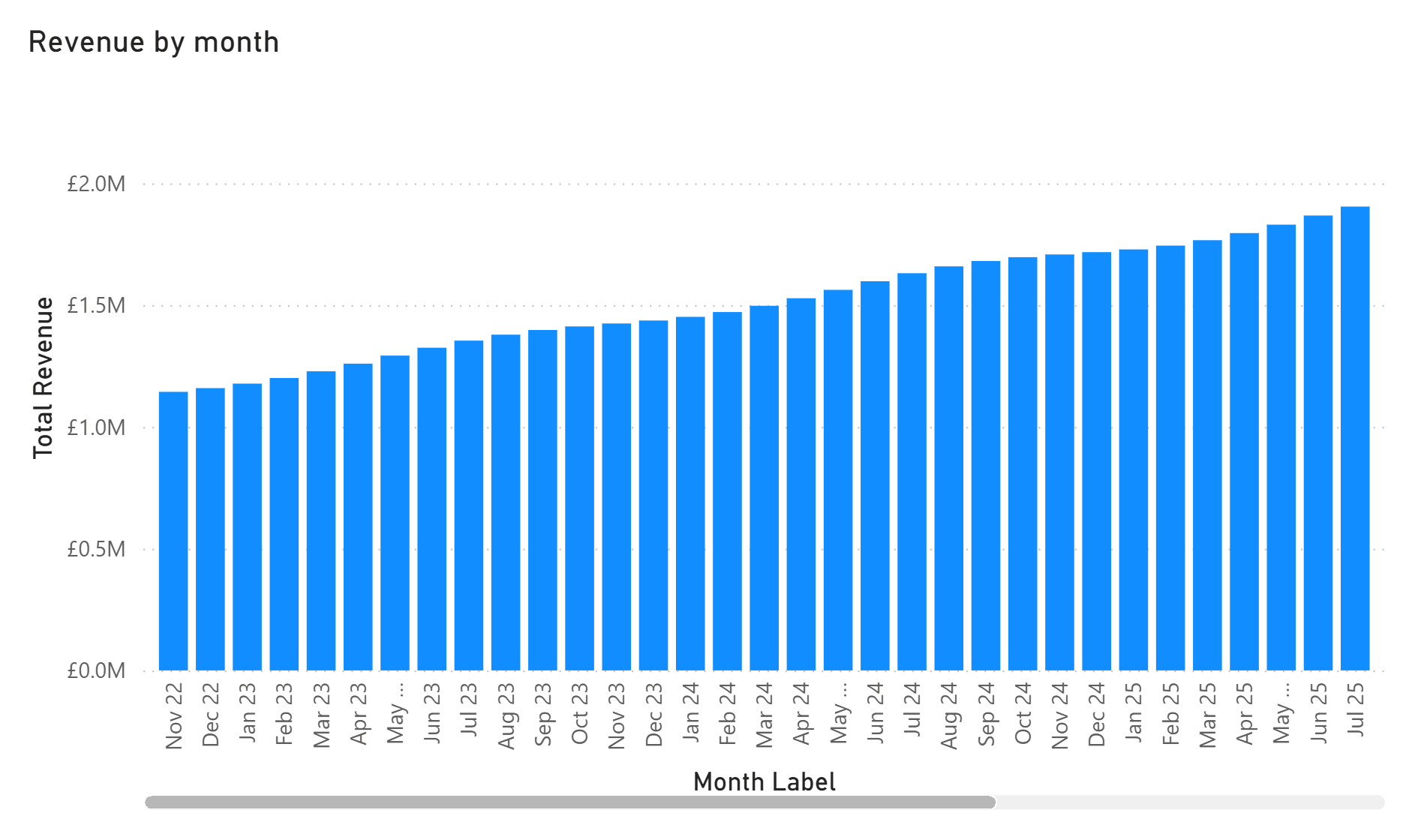
I tested it on a column chart with 48 months of revenue, November 2022 to October 2026. With the default, the chart opened on November 2022 and ran to July 2025, with the scrollbar on the left. That's the view every viewer gets, and the latest months (the ones anyone is likely to ask about) are off the edge.
With End set, the chart opened on February 2024 to October 2026, scrollbar on the right. When I switched an open chart from Start to End, it moved straight away, with no refresh or reload.
Next question... does the setting survive a save? In my test, I set End in the Format pane, saved the report, closed Power BI Desktop and opened the report again. The chart opened on February 2024 to October 2026, exactly as it was before I closed it. The setting also held when I switched pages and when I applied a different theme.
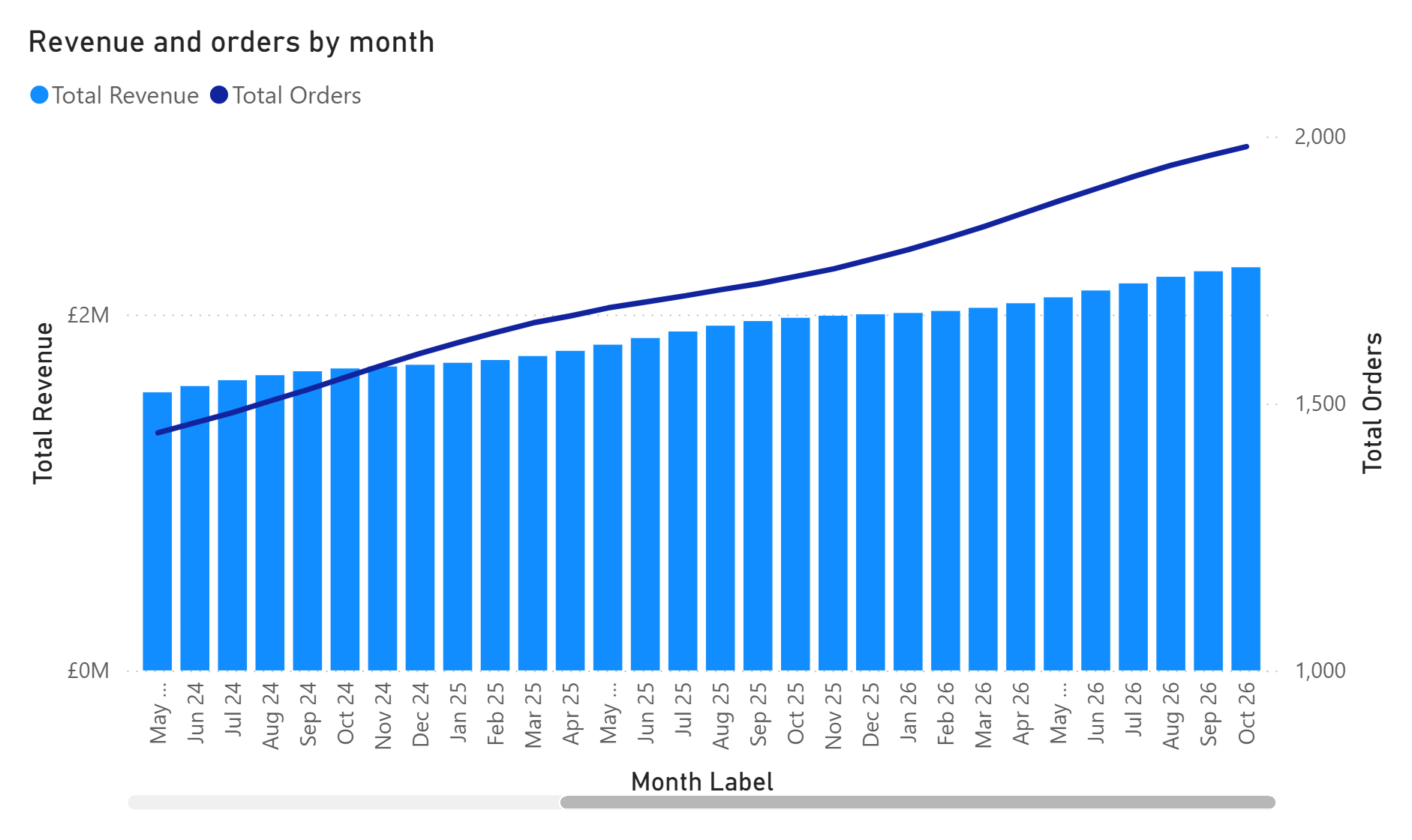
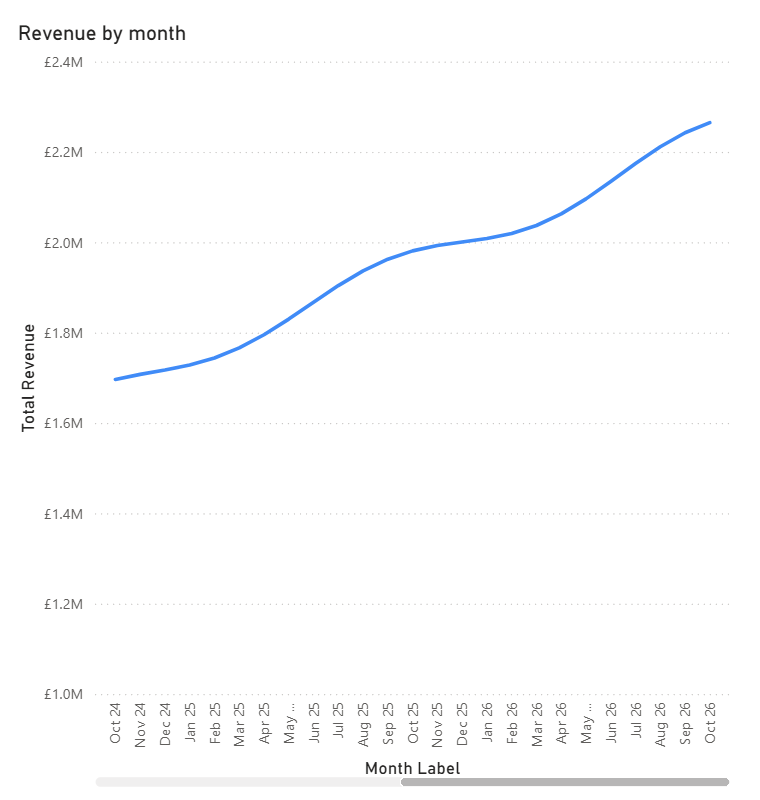
I tested column charts, a line chart and a line and clustered column combo chart. The line chart, set to End, opened on October 2024 to October 2026 with the scrollbar on the right.
Microsoft lists the supported charts as bar and column charts (stacked, clustered and 100% stacked), line and area charts, the line and column combo charts, ribbon and waterfall charts, and scatter charts with a categorical X-axis.
Things to watch out for
What I found in testing
- It is set per visual: it is a Format pane setting on each chart, and saving wrote it into that chart's own definition. I have not tested setting several charts at once or setting it through a theme file.
What Microsoft documents
- Categorical axes with a scrollbar: Microsoft describes the setting for a categorical axis that has more categories than fit, which is when the scrollbar appears.
Our view
- No scrollbar, nothing to do: if every category fits, there is nothing to scroll, so I would not expect End to change anything. If you set it and see no difference, check whether the chart actually has a scrollbar.
- Make End the default for time trends: for month, week and day trend charts, I would make End the default in most report standards I write. Time still runs left to right, the full history stays in the visual, and it opens on the period people ask about. Worth adding to your report checklist so it does not get missed on the one visual a director looks at.
How we use it at Metis BI
Here's the thing, small settings like this are a lot of what makes a report feel easy to use. A chart that opens on 2022 is not wrong, it's just slightly less useful, and slightly less useful repeated across every page adds up. When we build or review Power BI reports, defaults like scroll position, sort order and what a viewer sees first get decided on purpose rather than left as they came. If that is the kind of attention your reports need, our Power BI report development services cover new builds and improving existing ones.
Summary
Initial scroll position lets a Power BI chart with a scrollbar open on its latest categories instead of its oldest. It lives under X-axis, Layout, right under Minimum category width, and became generally available in the September 2026 update. In my tests it switched instantly, opened on the latest months again after saving, closing and reopening the report, and held through page switches and a theme change. It is set per visual, and in my view End is a sensible default for most time-based trend charts.
A small setting, and the first thing people see is the month they care about.


%20(8).png)
.avif)